API - Send request
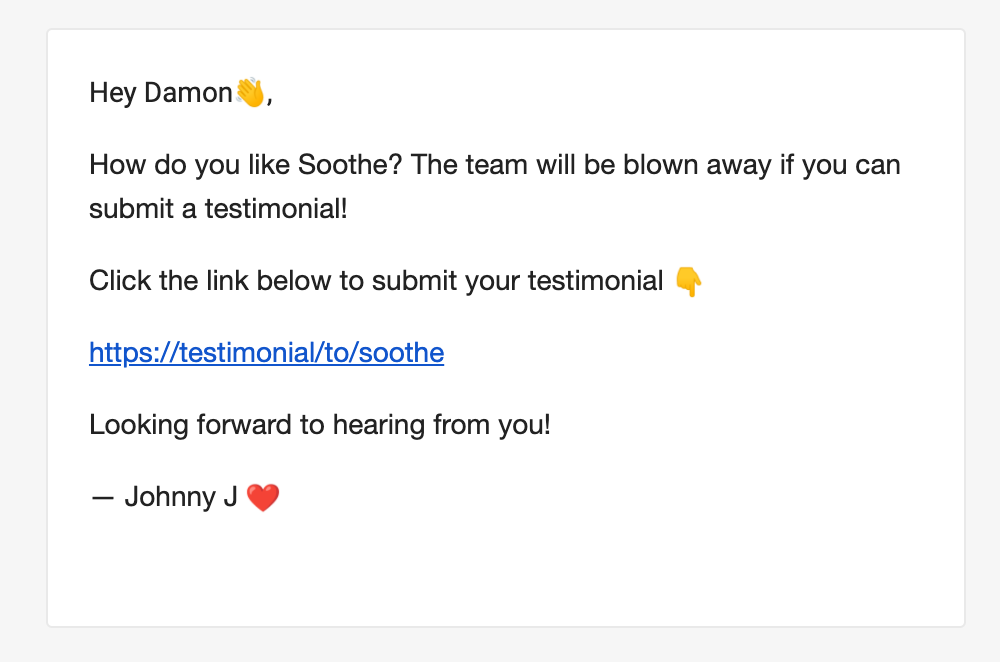
Send a testimonial request email with GET /v1/new/request and your Space API key.
Send a testimonial request email with a GET request to https://api.testimonial.to/v1/new/request. Send your Space API key in the Authorization: Bearer API_KEY header. The email includes a link to your Testimonial page so the recipient can submit.
Required parameters
The request needs these four parameters:
name— the recipient’s nameemail— the recipient’s emailspaceName— the name of your product or serviceadminName— the name used in the email signature
curl "https://api.testimonial.to/v1/new/request" -H "Authorization: Bearer API_KEY"
Get your API key
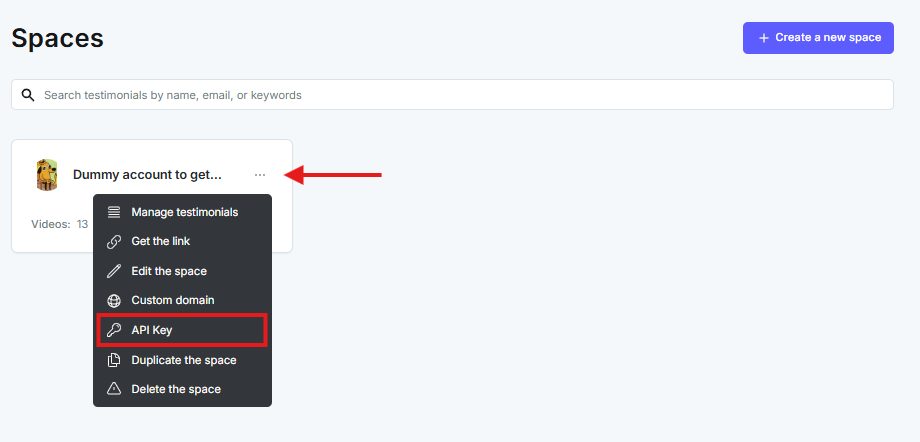
Open the dashboard. On the Space card, click the ... icon and choose API key.
In the popup, click Copy API Key.
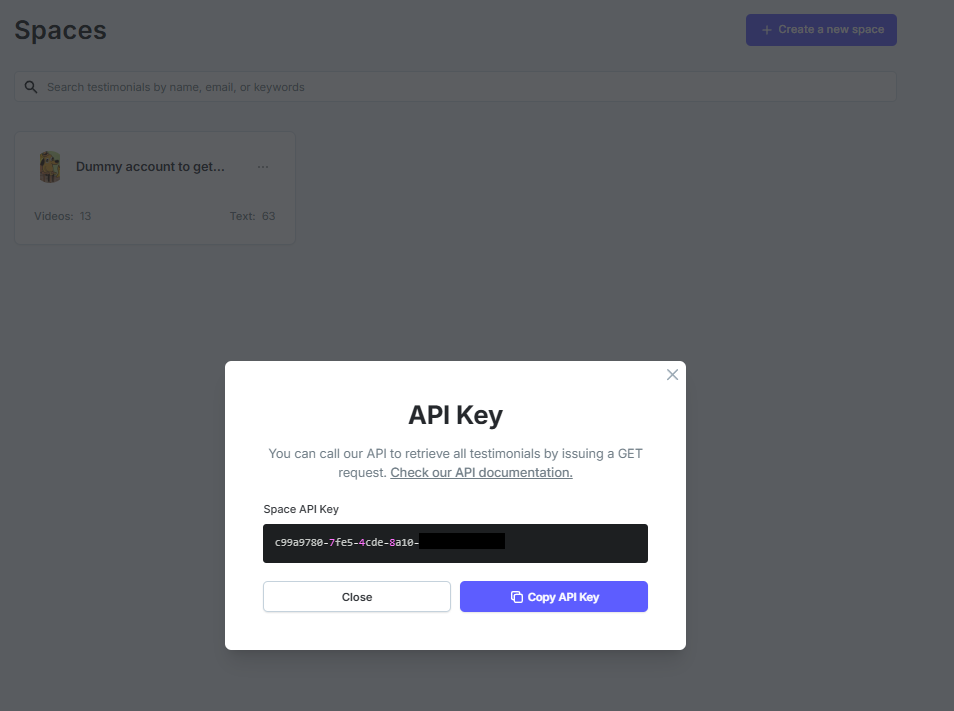
See also API - How to get your API KEY.
Related: API - Submit a text testimonial · API - Submit a video testimonial
Need help? Message us in the chat widget.