Update/hide the thank-you image
Replace or hide the thank-you image after a testimonial is submitted.
You can replace or hide the default image on the thank-you page after someone submits a testimonial.

Change or hide the image
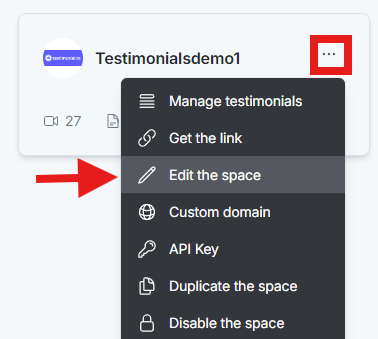
On the dashboard, click the 3-dot icon on the Space card and select Edit the space.
In the space editor, click Thank you page.
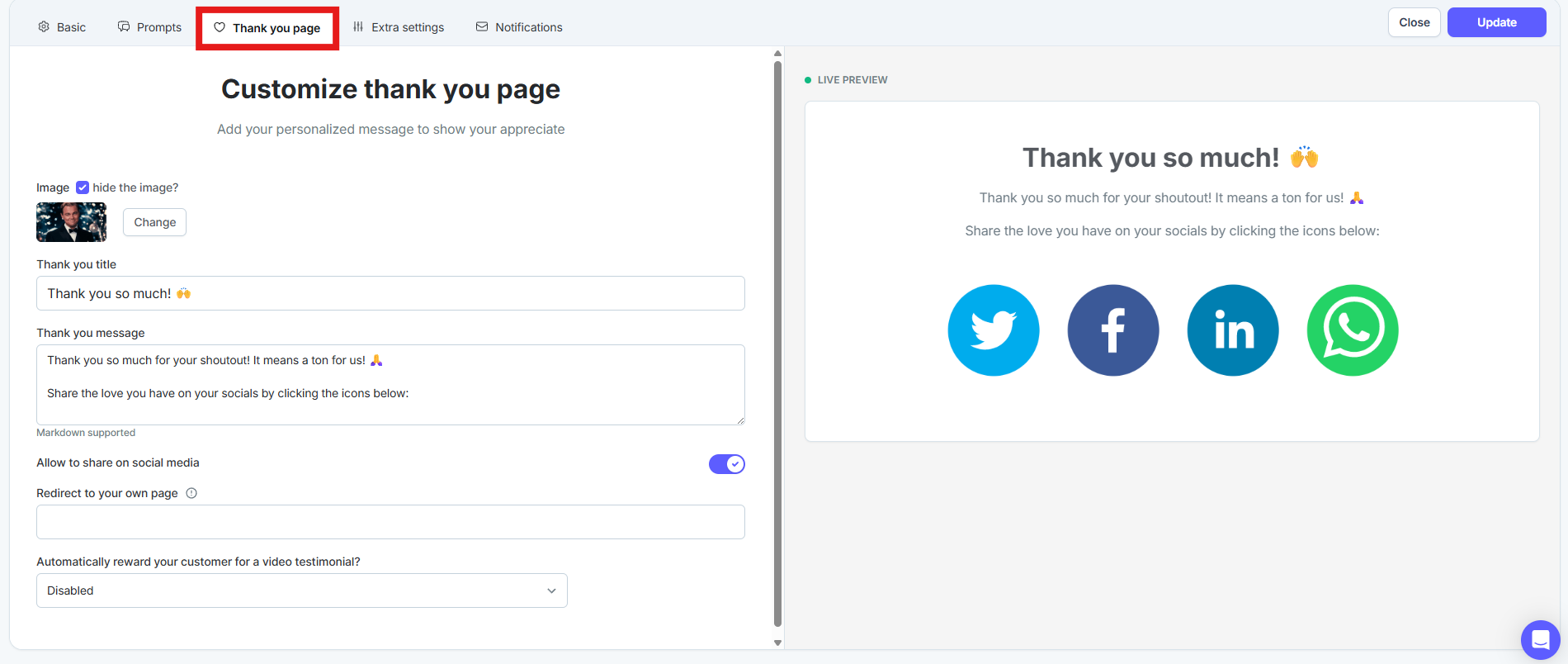
Click Change to upload a new image.
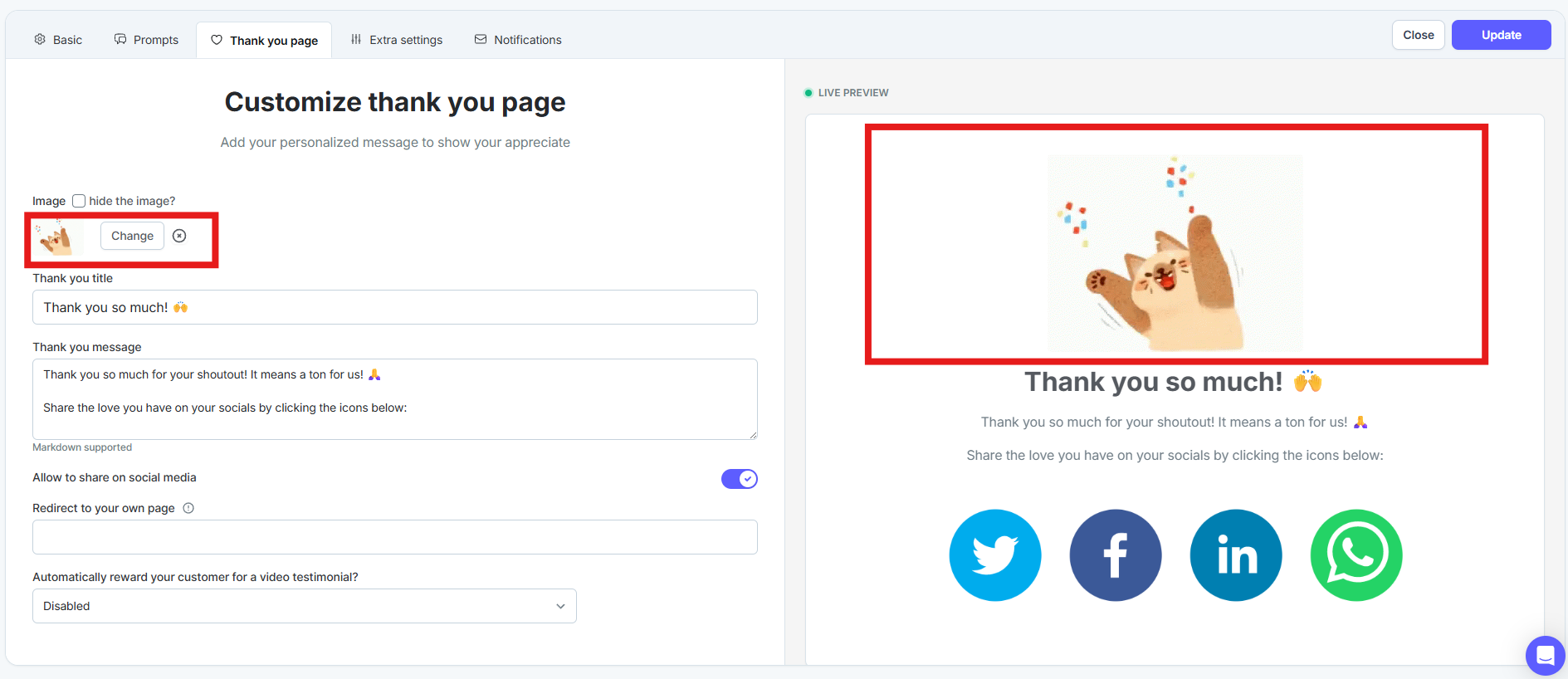
To hide the image, check the box that hides it.

Click Update to save.
More thank-you page options are in the Customize your thank-you page collection.
Need help? Message us in the chat widget.