Change the video/text button
Change the Record a video and Send in text button labels in Extra Settings.
Change the video and text button labels on your landing page. The defaults are Record a video and Send in text.
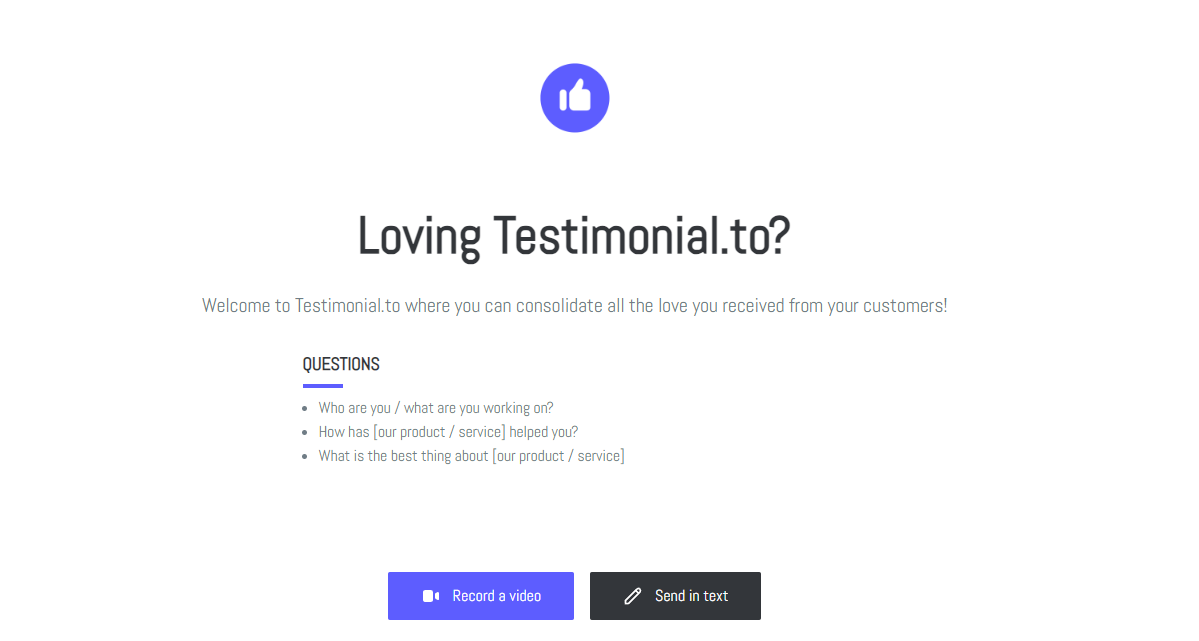
Change the button labels
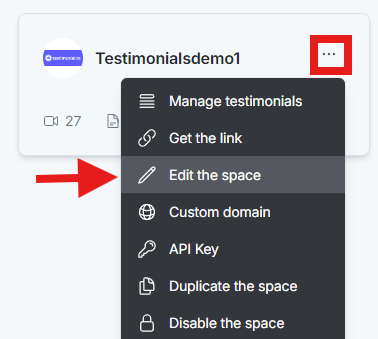
On the dashboard, click the 3-dot icon on the Space card and select Edit the space.
In the space editor, click Extra Settings.
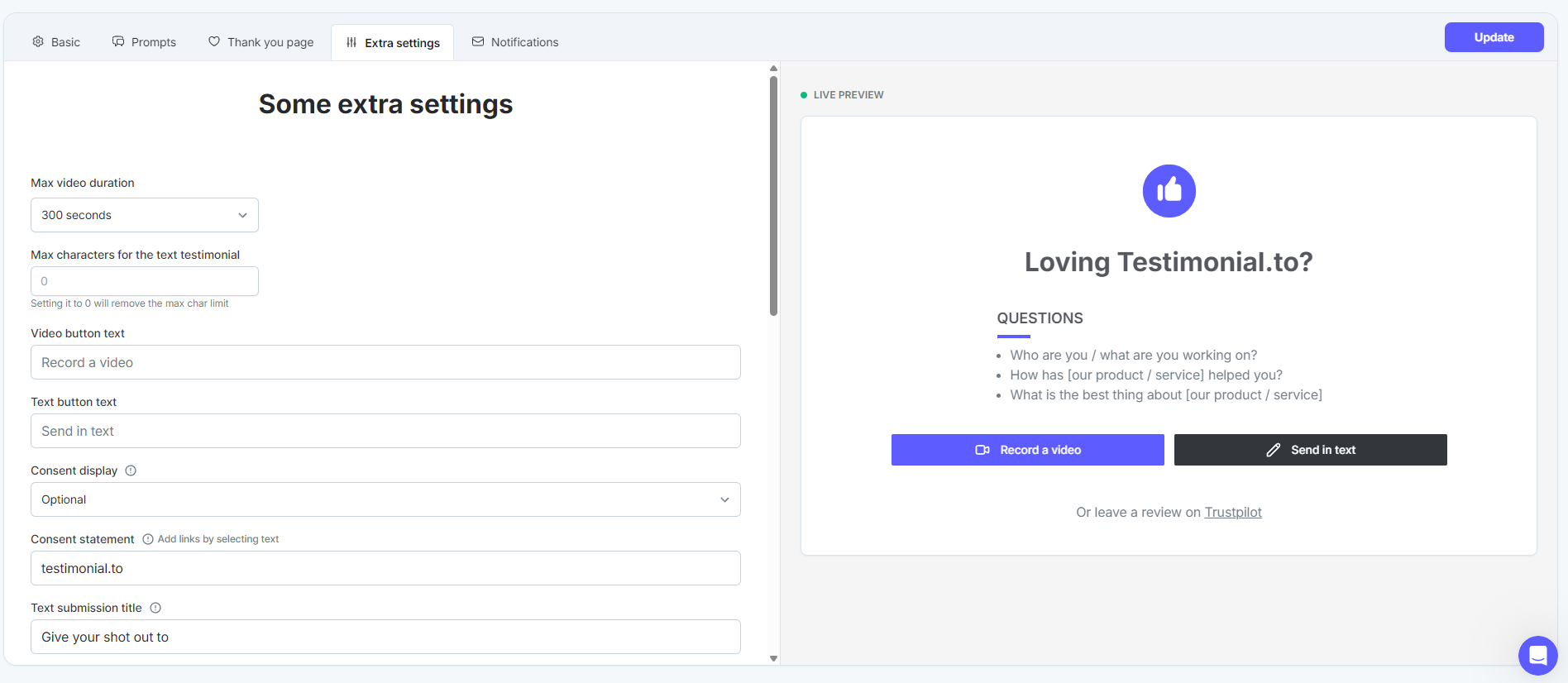
Edit the video and text button labels.

Click Update to save.
See All-in-one: Extra settings for your space.
Need help? Message us in the chat widget.