Top banner button color
Change the button color on the Wall of Love top banner.
Change the button color on the Wall of Love top banner.
Change the banner button color
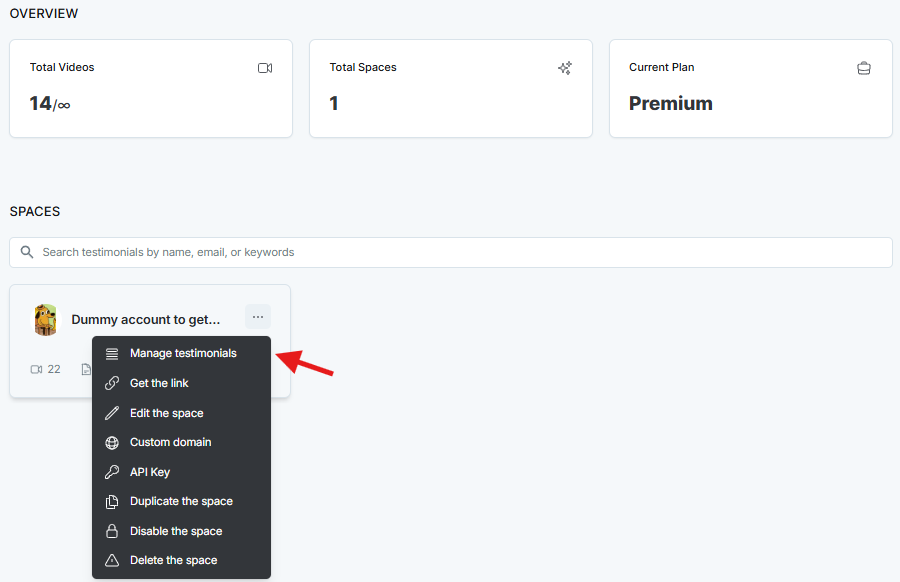
On the dashboard, open the Space card, or click the 3-dot icon and select Manage Testimonials.
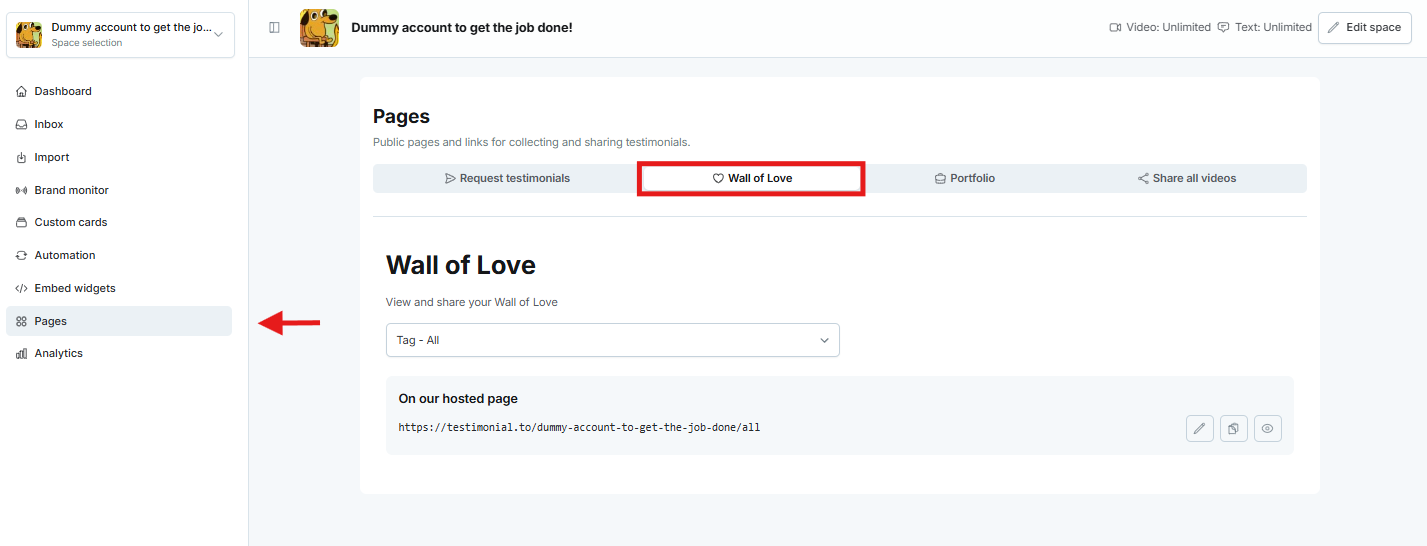
In the left sidebar, click Pages, then Wall of Love. Copy the link and open it in a new tab.
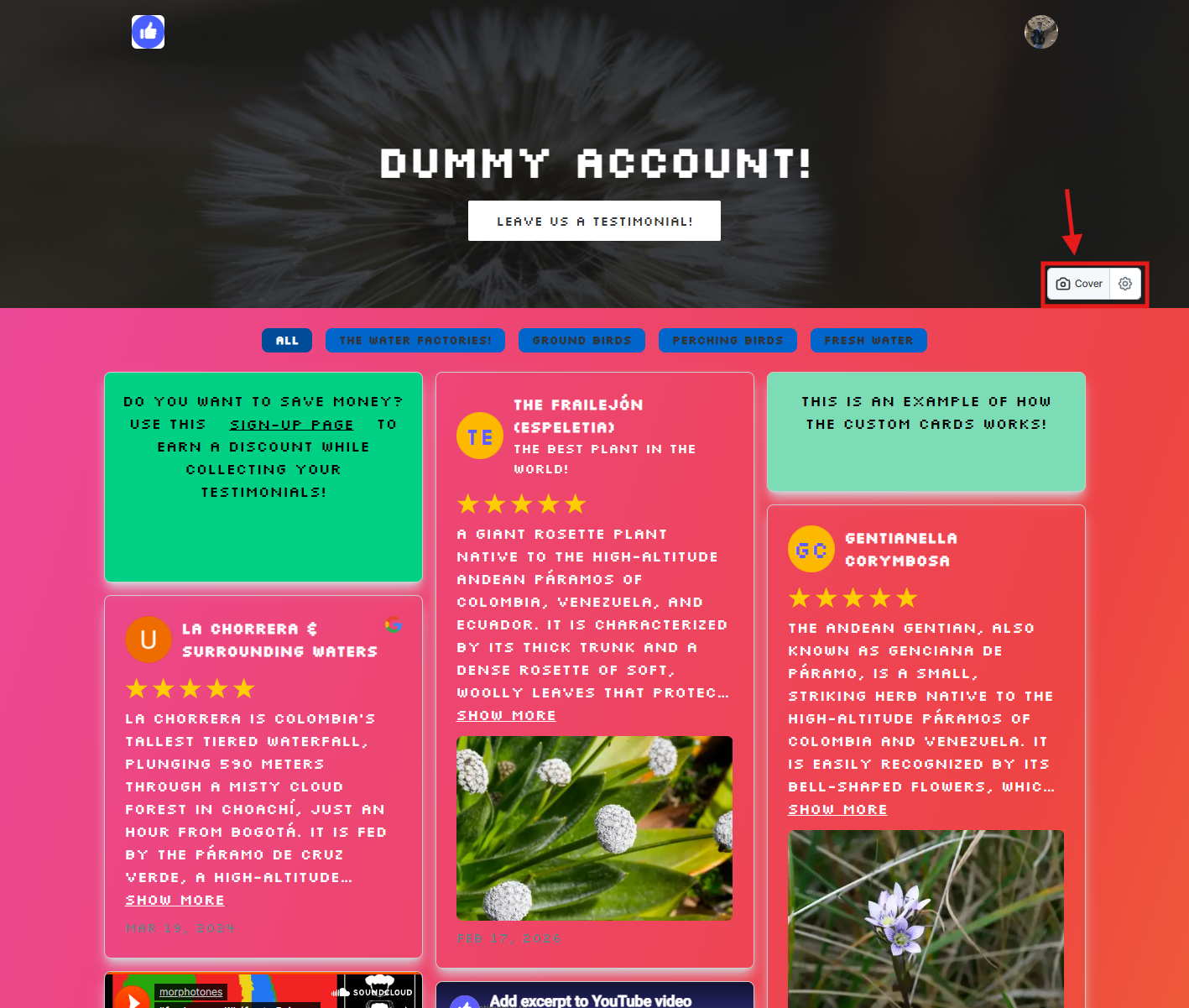
On the public Wall of Love page, open Cover.
Set Top banner button color.
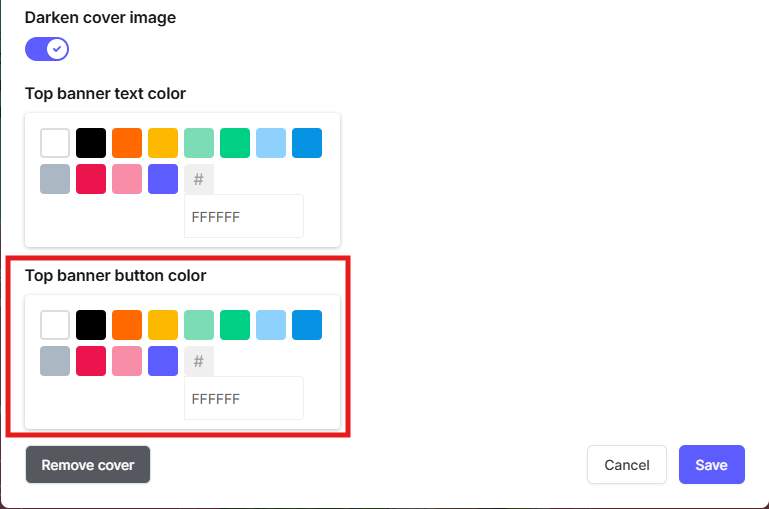
Click Save.
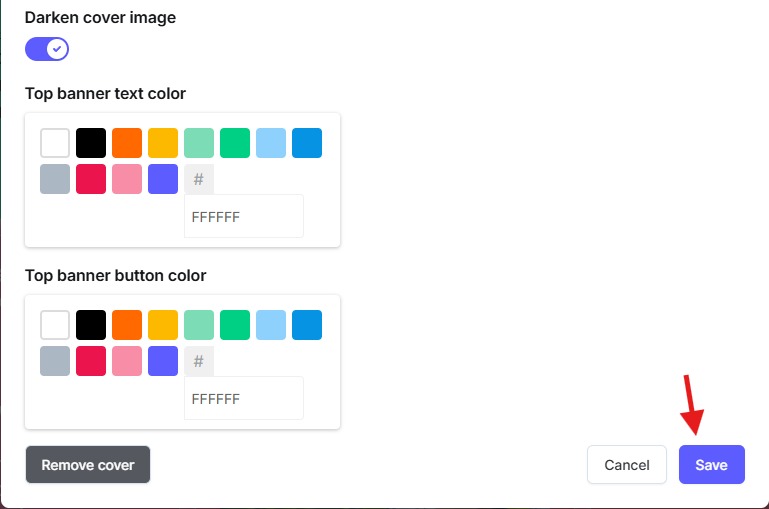
Example:

More Wall of Love options: Customize your Wall of Love.
Need help? Message us in the chat widget.