Export video and text testimonials
Export every testimonial in a Space as CSV, or download one testimonial as an image or video.
Export every testimonial in a Space as a CSV, or download one testimonial as an image or video file.
Use Export to CSV for the full list. Use Share or Download files for a single item.
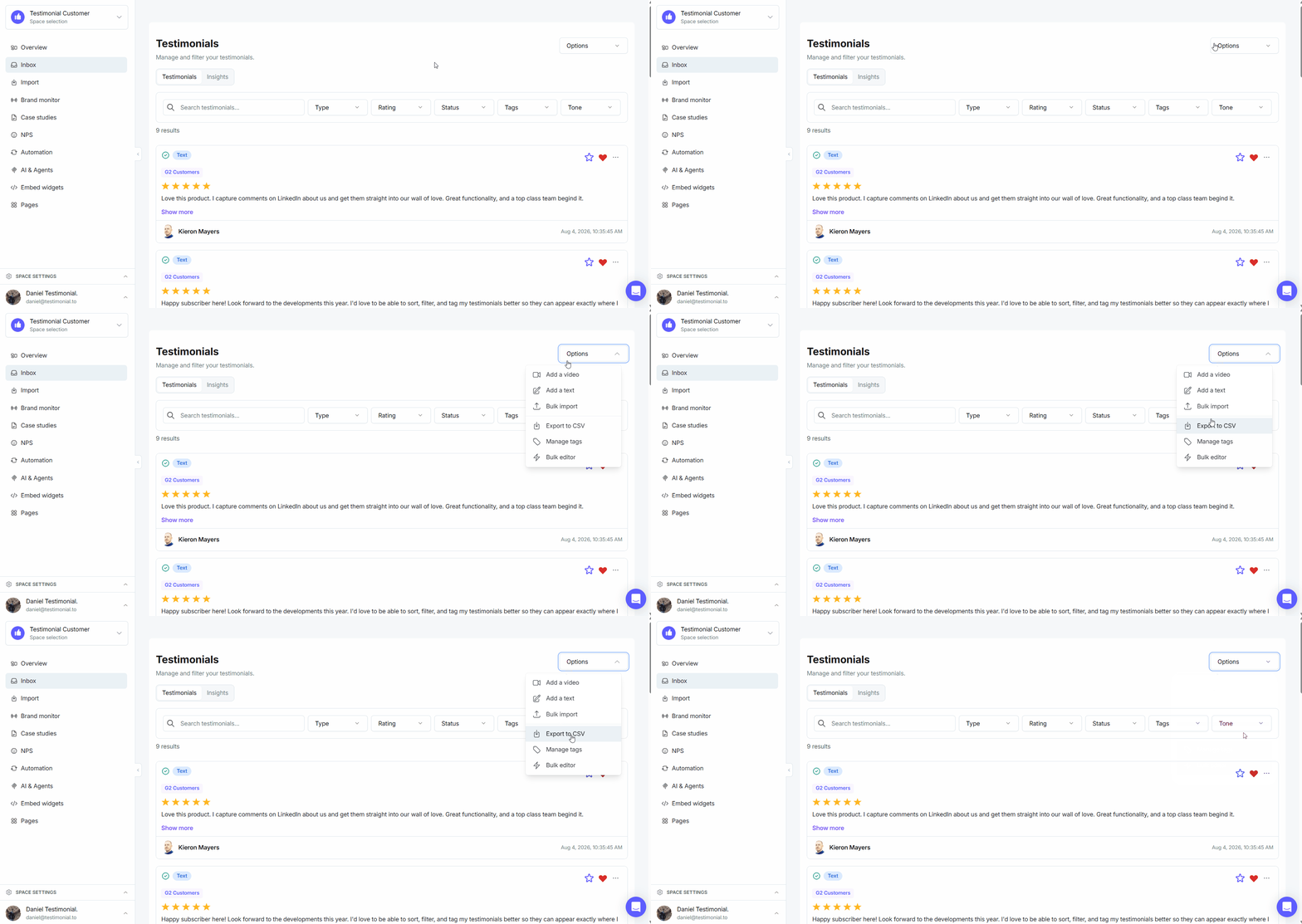
Export all as CSV
Open the Space that holds the testimonials.
In the right sidebar, open Options and click Export to CSV.
Download the CSV file.
Export one testimonial
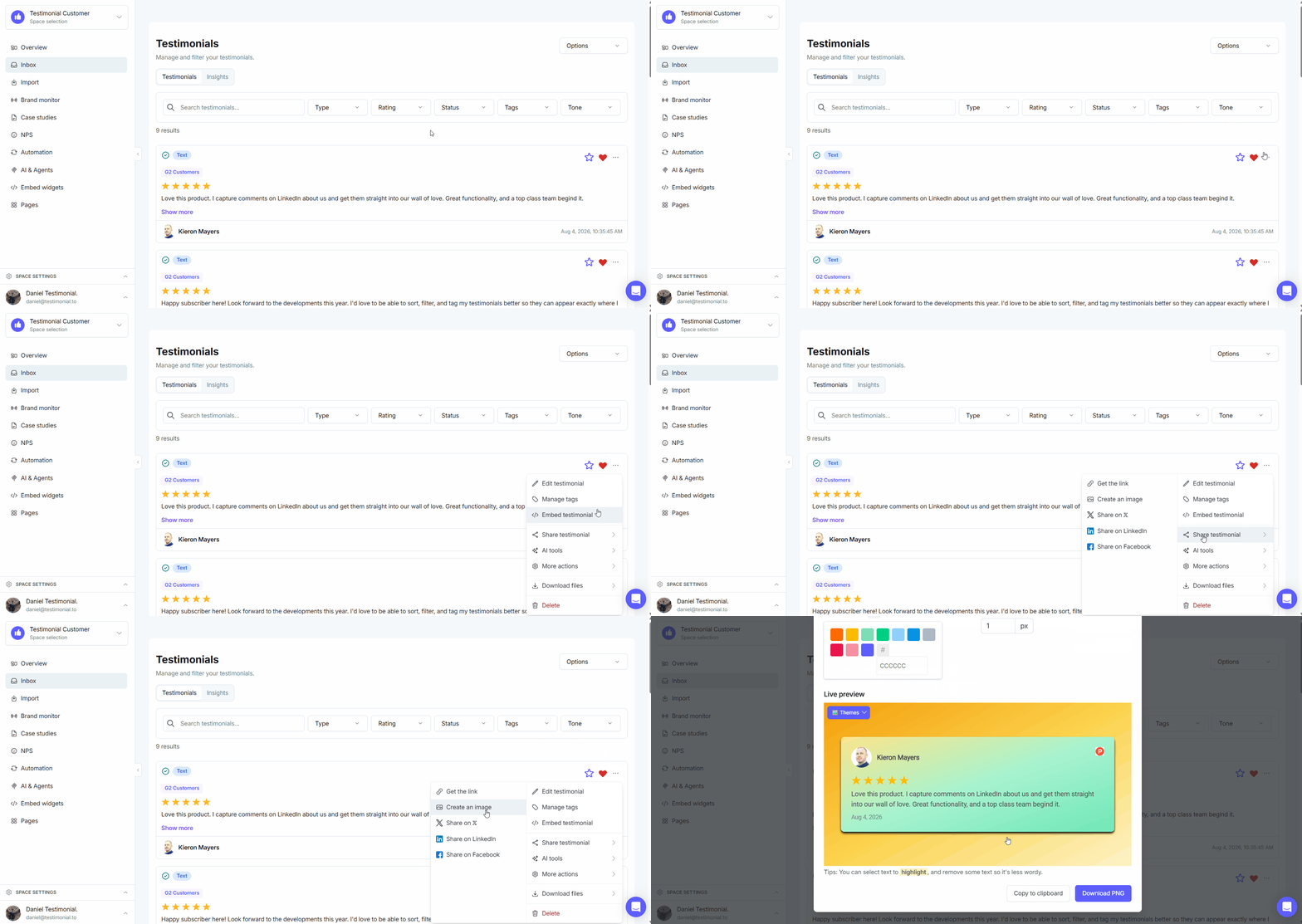
Text testimonials
Click the three-dot icon on the testimonial.
Click Share, then Create an Image.
Customize the image, then download it. See Generate images from your testimonials.
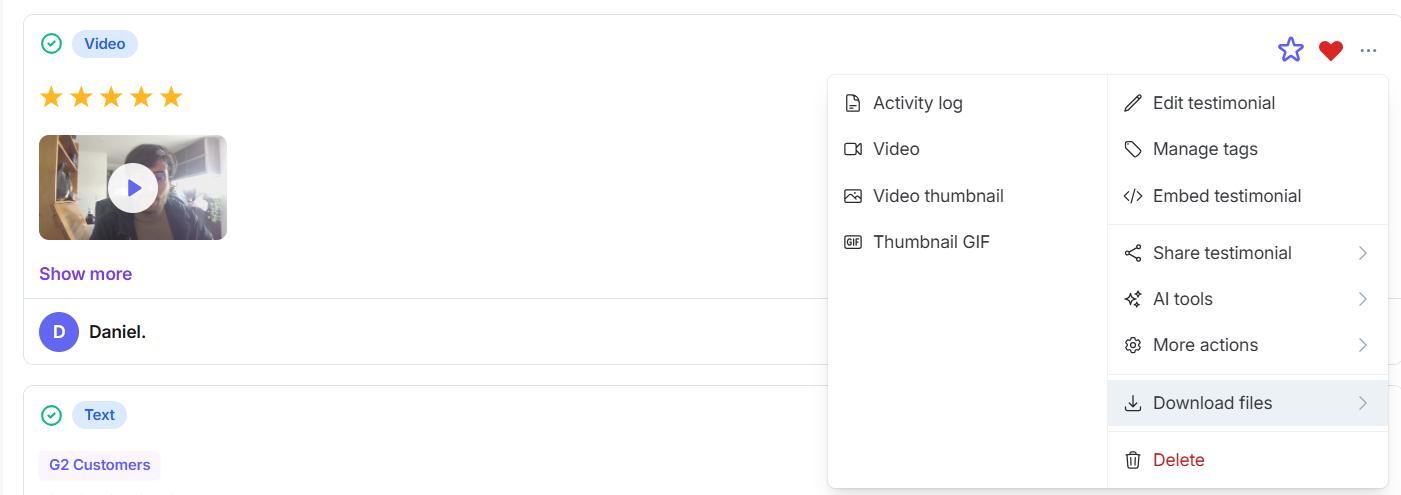
Video testimonials
Click the three-dot icon on the testimonial.
Click Download Files, then Video.
For third-party reviews, see Creating images and getting embed code for 3rd-party reviews.
Need help? Message us in the chat widget.