Import from Vimeo
Import a public Vimeo video into a Space from Import by pasting the public Vimeo link.
Import a public Vimeo video into a Space from Import. Paste the public Vimeo link, then click Add.
Import a Vimeo video
Open the Space and click Import in the left sidebar.
Click + Import, then choose Vimeo.
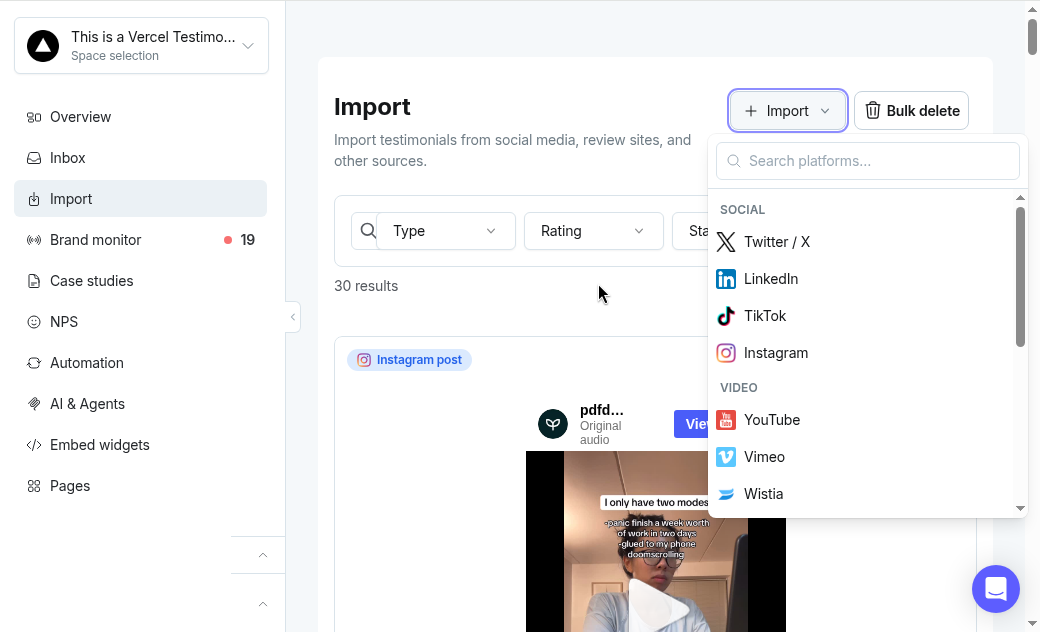
Paste the public Vimeo link and click Add.
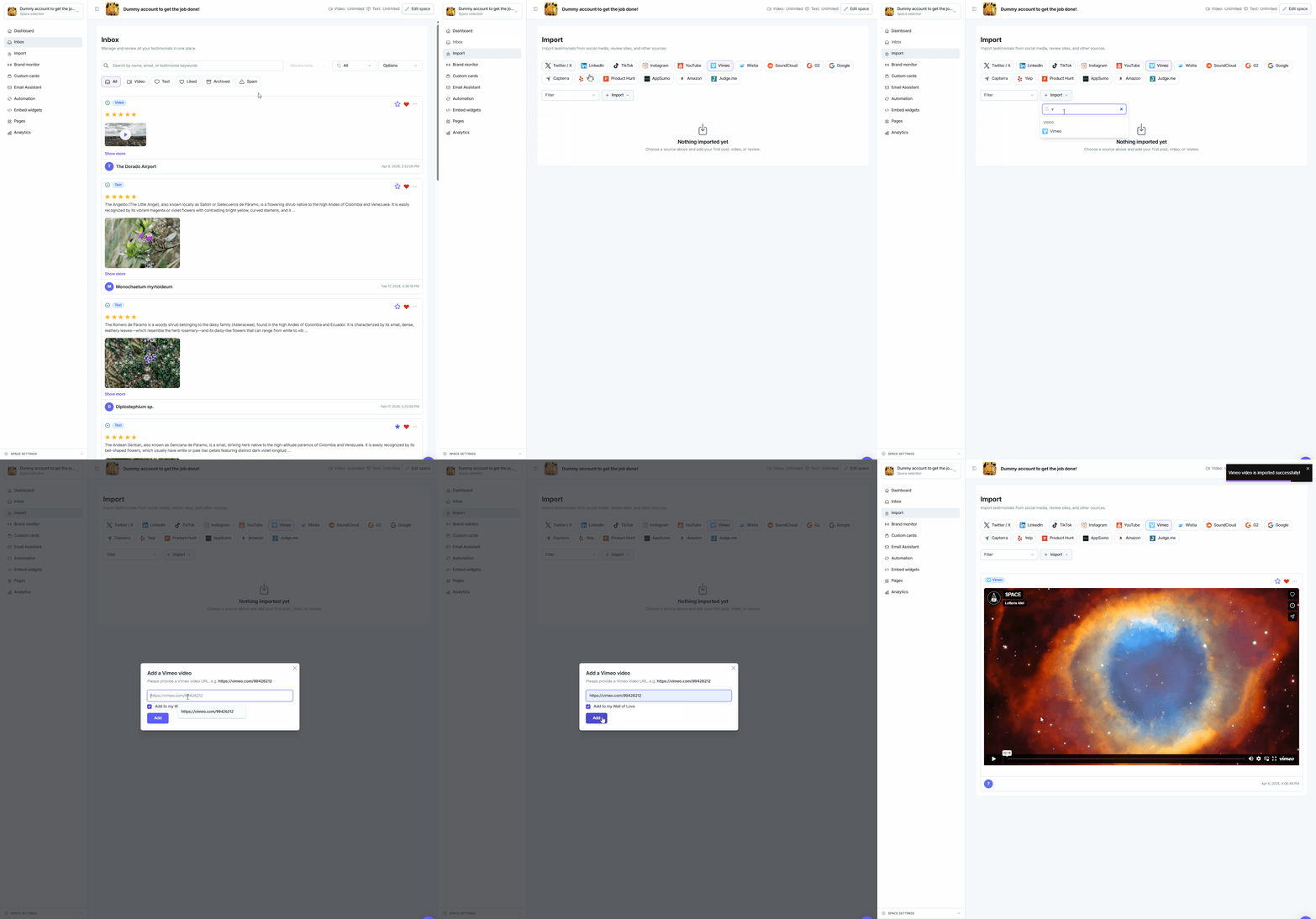
Note: The video must be Public, with embeds allowed anywhere. Use a link like https://vimeo.com/99426212. See Turn on public mode for Vimeo Videos.
Need help? Message us in the chat widget.